



Grand Theft Auto V · PC, PS5 and Xbox Series X|S
GTA 5 for free — your graphics card buys it
Your PC sits idle for hours every single day. Put that time to work: the app runs AI jobs on your graphics card, your balance climbs while you sleep, and a few days later you swap it for GRAND THEFT AUTO V in the GamerHash store and drive into Los Santos — without spending a cent of your own.
- What GTA 5 costs on Steam: $44.99
- What you pay out of pocket: nothing
- What an RTX 4090 needs: ten days
Three steps. That is the whole thing.
No catch, no subscription, no small print. You rent out your graphics card for AI compute and get paid for it — during the hours you were not using the machine anyway.

Switch it on, forget it
Install the app, hit EARN, get on with your day. Setup takes about a minute.


The card works, the balance grows
Not gaming? Your GPU runs AI jobs. Launch a game? It steps aside instantly. You get paid by the hour.

Collect GTA 5
Swap 32.20 GUSD for GRAND THEFT AUTO V in the store and activate the key on your Rockstar Games account.
How many days does your card need?
There is no conversion to work out: the game costs 32.20 GUSD in the store, so that is exactly what your PC has to earn. An RTX 5090 needs about 62 hours of work, a 4090 roughly 79, an older 3090 around 202. At eight idle hours a day that is eight, ten and twenty-six days — the shortest run of any major title we cover. Pick your exact model in the calculator and see your own number.
What your PC needs to earn
32.20 GUSD
RTX 5090 8 daysRTX 4090 10 daysEstimated at 8 idle hours a day.
Run it on your cardBalances are held in GUSD — an internal unit equal to 1 USD. How fast it adds up depends on your card, the hours it runs and current network demand.
The game is on the shelf. No card in between.
You are not earning toward a gift card that then buys the game. GRAND THEFT AUTO V sits in the GamerHash store at 32.20 GUSD. Your balance swaps straight for it — one hop, the same figure on both sides, the game in your library.
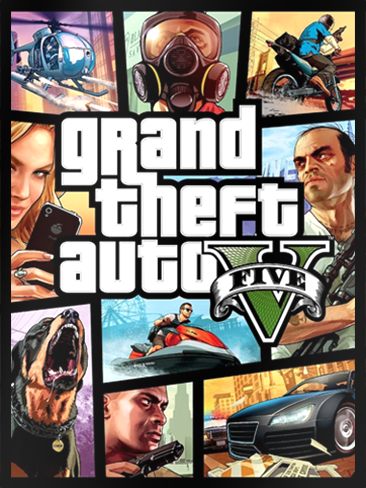

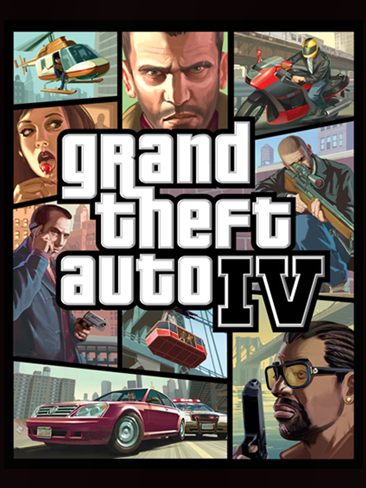
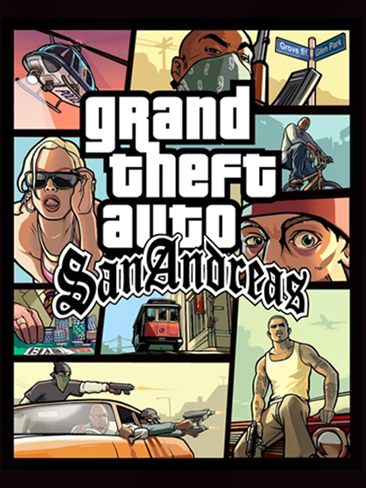
You get a key to activate on your Rockstar Games account. The rest of the Rockstar shelf sits right beside it: Red Dead Redemption 2, GTA IV and San Andreas all cost a fraction of the headline act.
GTA 5 — the numbers that actually matter
What it costs, what it runs on and what comes in the box. Over 230 million copies and three console generations later, here is everything people still ask, in one place.
- Release date
- 17 September 2013 (PS3 and Xbox 360)
- PC version
- 14 April 2015; Enhanced edition since 4 March 2025
- Platforms
- PC, PlayStation 5, Xbox Series X|S, PlayStation 4, Xbox One
- Steam price
- $44.99 for the Enhanced edition, discounted regularly
- GamerHash store price
- 32.20 GUSD
- Minimum PC specs
- Windows 10, Core i7-4770 or FX-9590, 8 GB RAM, GTX 1630 4 GB, 105 GB on an SSD
- Recommended PC specs
- Windows 11, Core i5-9600K or Ryzen 5 3600, 16 GB RAM, RTX 3060 8 GB
- GTA Online
- Included in the price — online world for up to 30 players
Sources: official Rockstar Games materials, the Steam store listing and Take-Two's results of 7 August 2026.
Frequently asked questions
You build a balance with GamerHash AI and swap it for GRAND THEFT AUTO V in the store — a single catalog entry, with no intermediate card. The game costs 32.20 GUSD, and that 32.20 comes from your graphics card running AI jobs during the hours you were not using the machine anyway.
Your card is idle anyway. Put it on Los Santos.
Setup takes a minute. After that you simply leave the machine on and the balance climbs by itself — on a strong card the game is yours in a little over a week.

Grand Theft Auto V, GTA Online and all related trademarks and artwork are the property of Rockstar Games, Inc. and Take-Two Interactive Software, Inc. GamerHash is not affiliated with Rockstar Games or Take-Two.